 Transeen
Translate your Mac
screen, in place
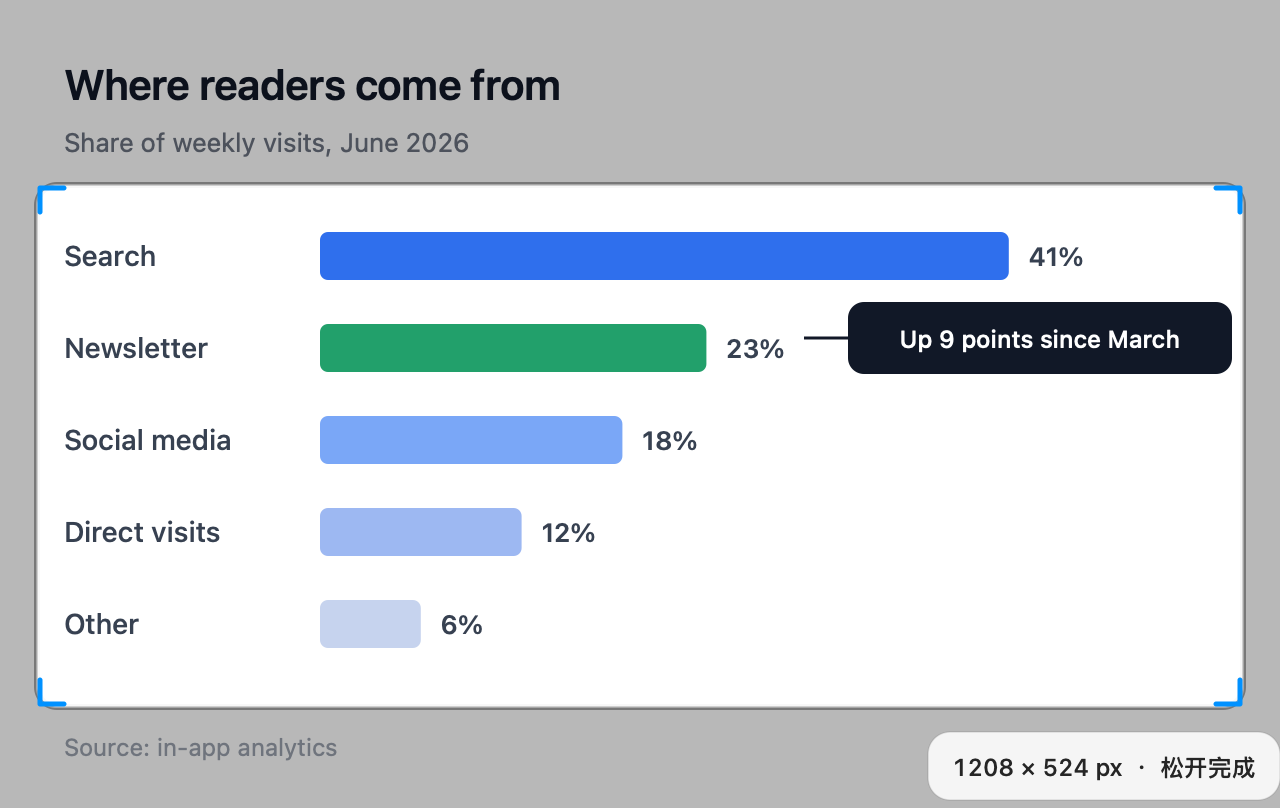
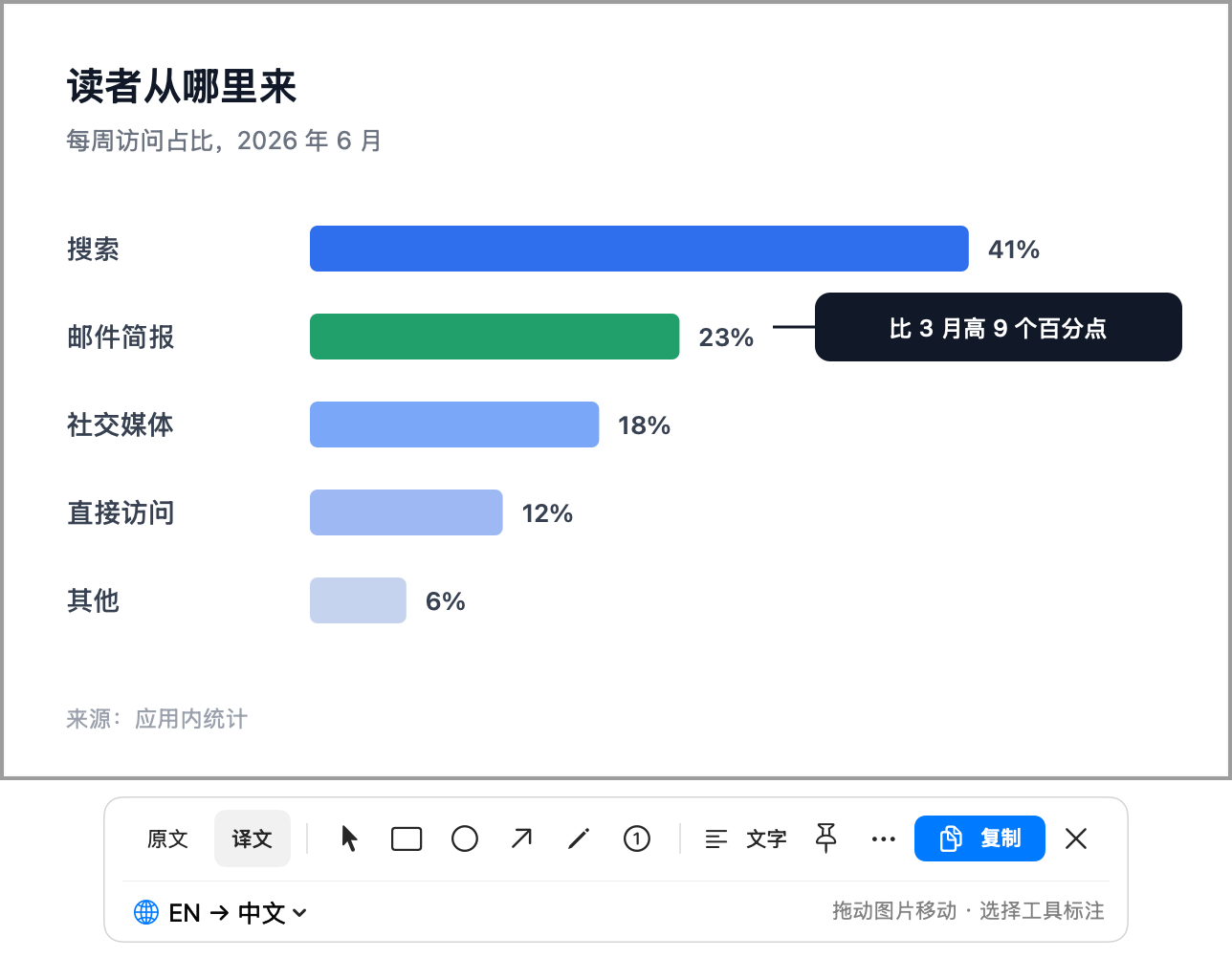
Press ⌃⌥2 and select any part of the screen. Transeen redraws the text in your language, inside the same picture.
Download for MacNeeds macOS 26 or later and a TR- activation code.
English → 简体中文



Drag across the page, or click a block of text, to choose what to translate. With the page focused, the arrow keys move the selection and Shift with an arrow key resizes it.
The original, one key away
Press Tab to switch between them. Hold Space to peek at the original, or press ⌃⌥Space from any app.
How Transeen works
First, press ⌃⌥2 and drag
The screen holds still while you choose. Hover to snap to a paragraph or a window, or drag a frame of your own.
Then read it in place
The text is recognized on your Mac, and the translation is set where the words were, at the same size and color.
Next, mark what matters
Boxes, arrows, pen strokes and numbered notes sit on their own layer, and they stay when you switch languages.
Finally, copy or pin it
⌘C copies the picture with your marks, ⌘S saves a PNG, and a pinned capture stays above your other windows.
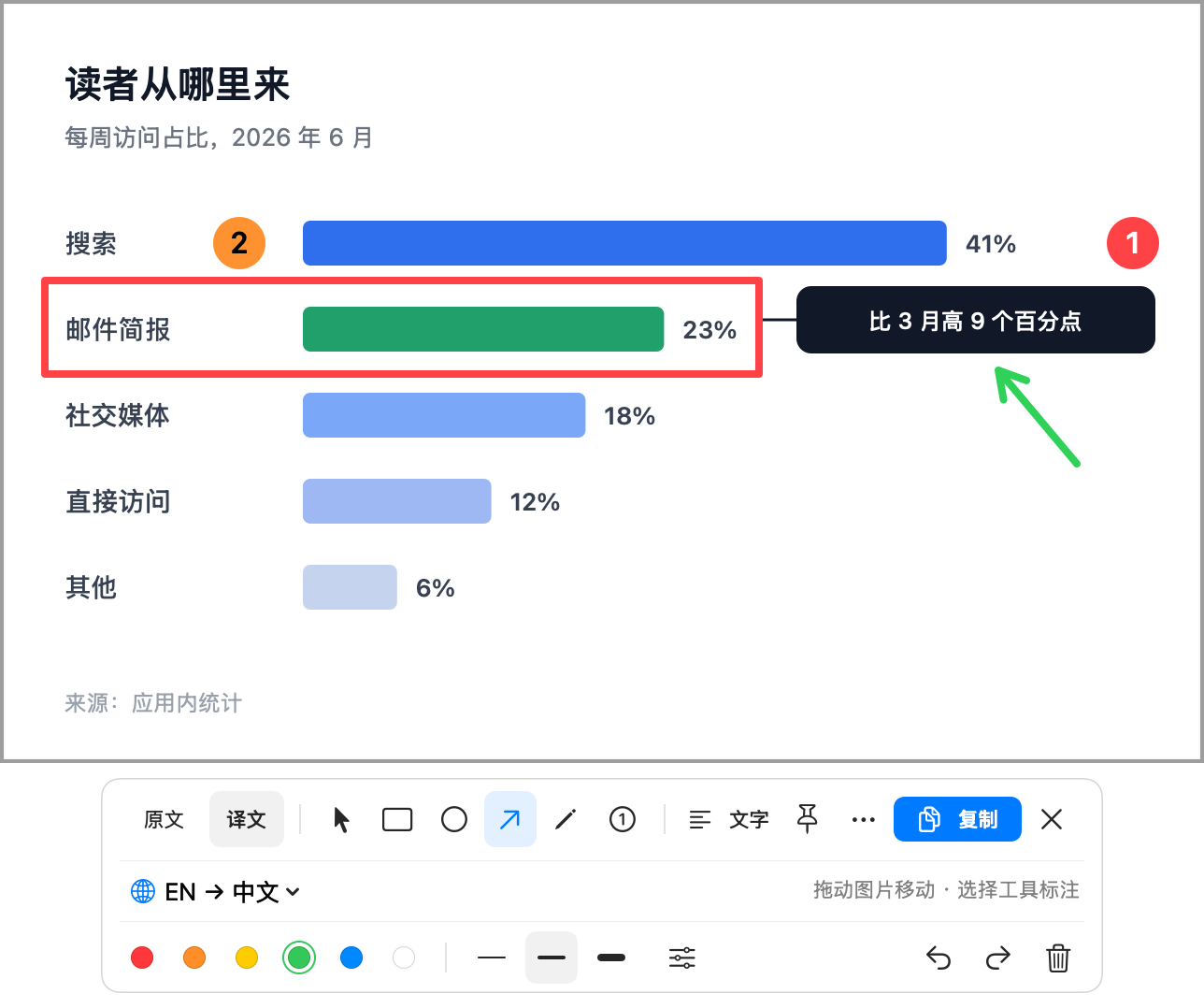
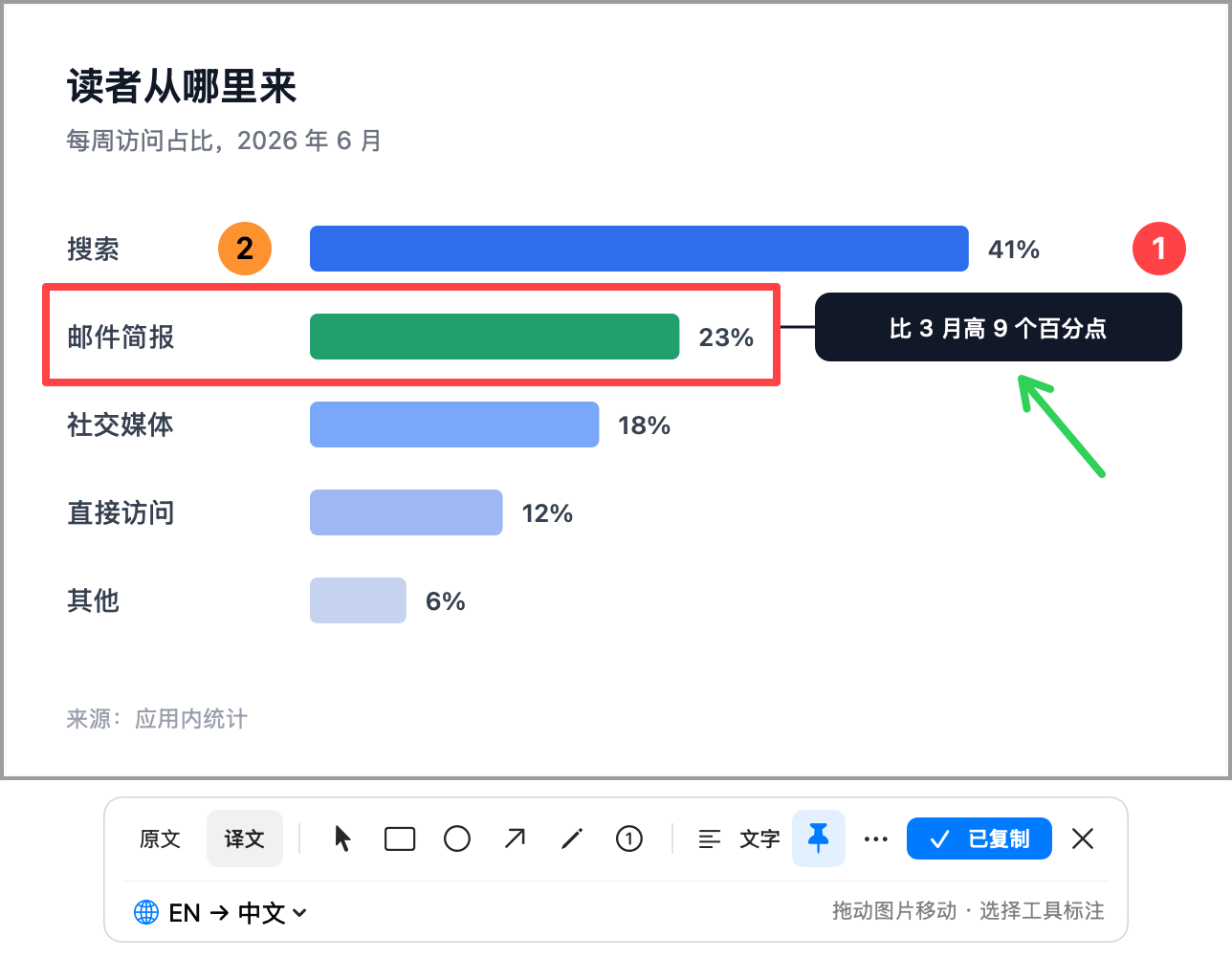
The toolbar, up close


Languages Transeen translates
- 简体中文Simplified Chinese
- 繁體中文Traditional Chinese
- EnglishEN
- 日本語Japanese
- 한국어Korean
- FrançaisFrench
- EspañolSpanish
- DeutschGerman
Translate from any of these into any other. Transeen can detect the source language, and Apple translation runs on your Mac once its language pack is installed.
Activation code
- Unlocks capture, annotation and translation on one Mac.
- Perpetual. Activate without signing in.
- Bind it to an iTool account to restore it later, if you like.
- StupidMirror SM- and iTool Pro IT- codes don’t work here.
Enter the code in 激活与账号… (Activation and account) in the menu bar. The source is MIT licensed, and you can build it yourself; the hosted activation service is only for the official app.
Questions
Which Macs does Transeen run on?
macOS 26 or later, on Apple silicon or Intel: it is one universal app. The app’s own interface is in Simplified Chinese for now.
Does it work offline?
Yes, once it is activated. Capture, annotation and Apple translation work offline after the language packs are downloaded. An activation stays valid through network outages and is checked again about once a day. Model mode needs a connection to your endpoint.
What leaves my Mac?
With Apple translation, nothing: the screenshot, the recognized text and the translation stay on this Mac. In model mode only the recognized text goes to the endpoint you set, never the screenshot. Activation sends your code and a random installation ID, and update checks contact GitHub.
Can I use my own model?
Yes. Enter any OpenAI-compatible chat completions URL, a model name and, if it needs one, a key, which is kept in your Keychain. Remote endpoints must use HTTPS; a server on localhost can use HTTP without a key. The setup guide has examples.
Can it translate an image I already have?
Yes. Choose 打开图片… (Open image) in the launcher or press ⌘O; the picture opens in the same window, with the same tools.
How accurate is it?
That depends on the translation provider. Dense layouts, formulas and specialist terms can need correcting, so compare with the original using Tab, or open the full text, before you rely on a detail.
Is Transeen open source?
Yes, under the MIT license, commercial use included. The official app needs a TR- code; the source license does not include the hosted activation service, so independent builds bring their own.
How do I update?
Choose 检查更新… (Check for updates) in the menu bar or the launcher. Transeen checks GitHub Releases and opens the download when a newer version exists.

Read it where it is
Download Transeen, press ⌃⌥2 and select the first thing you couldn’t read.
Universal app, 3.1 MB, notarized by Apple.
Download for Mac